Now Reading: 9 Tools Every Remote Worker Should Use
-
01
9 Tools Every Remote Worker Should Use

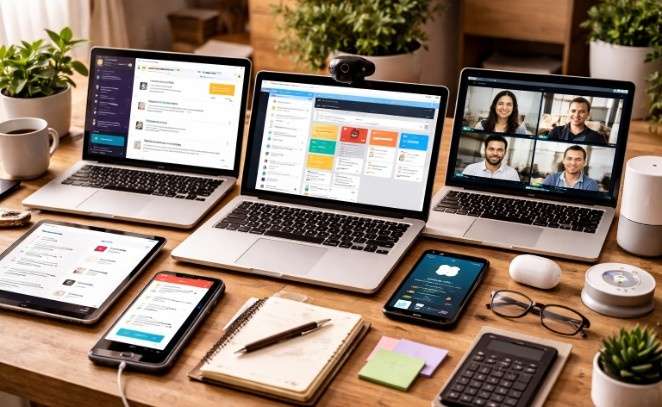
Remote work offers incredible flexibility, allowing you to build a schedule that fits your daily life. Working from home removes the daily commute and lets you design a personalized office space. However, stepping away from a traditional office environment also brings unique challenges. Without the physical infrastructure of a corporate headquarters, staying organized and connected requires a carefully curated digital environment.
Building a strong tech stack is the secret to thriving outside the cubicle. When your team is scattered across different cities or time zones, you need reliable ways to share information and track progress. By adopting a few targeted applications, you can streamline your daily tasks, collaborate easily with teammates, and keep your sensitive data secure.
From communication platforms to time-tracking software, the right technology bridges the gap between distance and productivity. Let’s explore nine essential tools that will elevate your remote work experience and keep you connected.
Slack for Instant Communication
Email is notoriously slow for quick questions and casual team updates. Slack solves this problem by organizing conversations into dedicated channels based on specific projects, departments, or interests. You can send direct messages, share files, and even jump into quick voice calls known as “Huddles.” This platform acts as a virtual water cooler, helping remote teams maintain a strong culture and resolve minor issues immediately.
Zoom for Face-to-Face Meetings

While text-based communication is highly efficient, sometimes you need to see your colleagues. Zoom remains a top choice for video conferencing due to its stability and user-friendly interface. Features like screen sharing, breakout rooms, and meeting recording make it incredibly useful for complex discussions and team presentations. Having a reliable video tool ensures that remote workers still feel visually connected to their peers and clients.
Asana for Project Management
Keeping track of moving parts is difficult when you cannot walk over to a coworker’s desk for an update. Asana provides a visual overview of every project your team is handling. You can create tasks, assign them to specific team members, set strict deadlines, and attach relevant documents. By centralizing your workflow, Asana ensures everyone knows exactly what they need to do and when it is due.
Google Workspace for Cloud Collaboration
Remote teams need the ability to work on the same document simultaneously. Google Workspace includes tools like Google Docs, Sheets, and Slides, all backed by Google Drive storage. Multiple people can edit a document in real time, leave detailed comments, and track version history. This eliminates the confusing process of emailing updated files back and forth, saving everyone a massive amount of time.
Toggl Track for Time Management
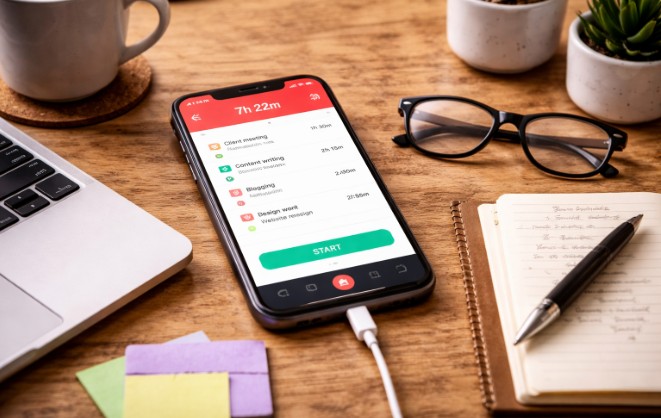
When your home is your office, the boundary between work and personal time often blurs. Toggl Track is a simple application that lets you record exactly how much time you spend on various tasks. Reviewing your time logs helps you identify productivity bottlenecks and optimize your daily schedule.
Furthermore, tracking your hours ensures you actually clock out at the end of the day, helping prevent remote work burnout. Pairing your routine with a home alert device can also help you stay aware of important notifications or emergencies while you’re focused on work, adding an extra layer of balance and security.
1Password for Digital Security
Remote workers access dozens of different platforms, software subscriptions, and internal company portals every week. Using the same password across multiple sites is a massive security risk. 1Password stores all your complex login credentials in one highly secure, encrypted vault. You only need to remember one master password, and the tool will automatically generate and autofill secure passwords for all your accounts.
Notion for Knowledge Sharing
Every organization generates a wealth of internal knowledge, ranging from brand guidelines to standard operating procedures. Notion serves as an incredibly flexible digital workspace where you can build company wikis, organize meeting notes, and create personal task boards. Its highly customizable interface allows remote workers to build a knowledge base that fits their specific learning and organizational style perfectly.
Krisp for Audio Clarity
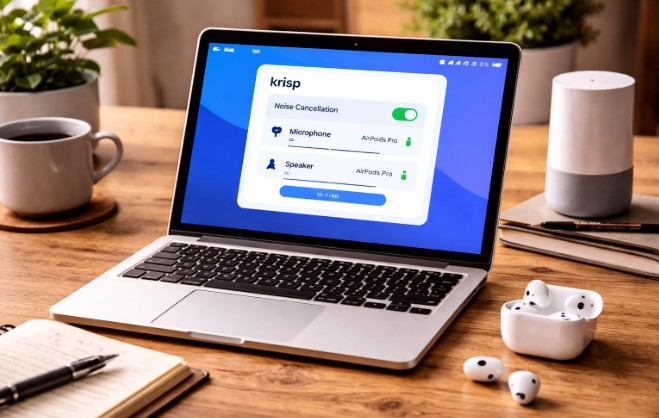
Background noise is a constant threat to professional remote meetings. Barking dogs, construction outside your window, or loud appliances can easily distract your clients and colleagues. Krisp is an artificial intelligence application that mutes background noise from your microphone during calls.
It works alongside your existing communication apps to ensure your voice always comes through clearly, regardless of your physical environment. To enhance your audio experience further, you can connect AirPods to your device, ensuring crystal-clear sound while benefiting from Krisp’s noise-canceling technology.
Managed IT Services for Technical Support
Even the best software cannot prevent the occasional hardware failure or network configuration error. Remote workers need reliable technical assistance to avoid prolonged downtime. Having dedicated professionals handle your tech problems keeps your operations running smoothly.
For example, businesses utilizing reliable IT support in South Jordan ensure their remote teams receive immediate help when their laptops crash or their software glitches. Access to professional troubleshooting is critical for maintaining remote productivity.
Maximize Your Work-From-Home Productivity
Transitioning to a fully remote workflow requires deliberate planning and the right digital infrastructure. You do not need to download dozens of complicated programs to be successful. Instead, focus on adopting a few core applications that specifically address communication, project management, and security.
Start by identifying the biggest bottlenecks in your current daily routine. If you struggle to keep track of assignments, introduce a project management tool. If your inbox is constantly overflowing, transition your team to a dedicated messaging app. By gradually integrating these nine tools into your workflow, you will build a robust remote work environment that fosters focus, collaboration, and long-term success.